
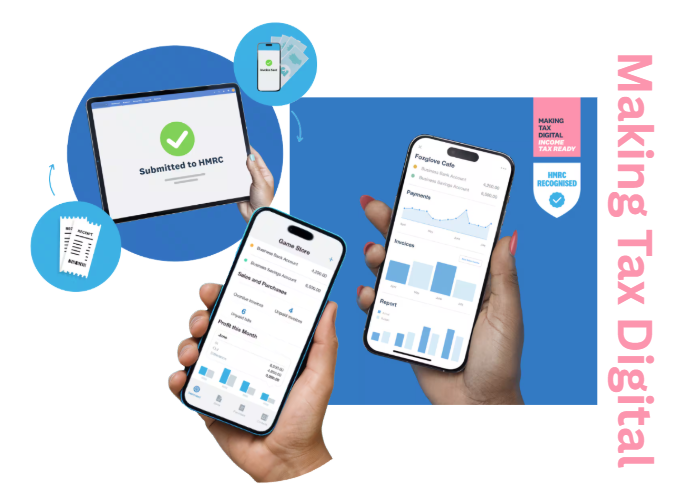
After a hard day’s work, the last thing you want to be thinking about is taxes and receipts. But with the introduction of Making Tax Digital as of the 6th April the way you manage and submit your income tax is going to change massively.
Making Tax Digital for Income Tax, became mandatory from April 6th 2026. It does away with the old paper based, single annual return system. Instead, affected taxpayers must keep digital records and send quarterly updates to HMRC, using compatible software.
If you’re a self-employed sole trader, these changes apply to you. They aren’t optional. In this article, Tom Foster, Kohler Mira finance director, breaks down what you need to know about these upcoming changes
Phased qualifying income
This new system is built around your qualifying income. Your qualifying income is your gross turnover, so that’s before you’ve made any business expense deductions. HMRC outlines three phases to this:
Phase 1: if your qualifying income is over £50,000 for the 2024 to 2025 tax year. You will have to use MTD from April 6th, 2026.
Phase 2: if your qualifying income is over £30,000 for the 2025 / 2026 tax year. You will have to use MTD from April 2027.
Phase 3: if your qualifying income is over £20,000 for the 26/27 tax year. You will have to use MTD from April 2028.
One way or another, you will have to follow these new MTD processes. Our advice - start as soon as you can. Even if you aren’t immediately affected, give yourself the time to get used to these new processes. As for what it means in practice… let’s break that down.
What MTD means in practice
MTD for Income Tax means that you must, by law, maintain digital records of all your business income and expenses. This should be done using recognised MTD capable software.
For income records, you need to store and submit invoices for completed jobs, cash and card payment receipts, subcontracting payments, emergency call-out fees and any other related income.
As for expenses, that’s materials and parts, tools and gear. All vehicle expenses, any professional body fees and subscriptions, insurance premiums, training and qualifications, marketing and advertising costs and business premises costs.
Quarterly Updates
As part of these new rules, you are legally required to submit quarterly updates to HMRC, outlining your income and expenses for each quarter. You can submit these based on a ‘standard quarter’, which would be:
- 6th April – 5th July: August 7th submission deadline
- 6th July – October 5th: November 7th submission deadline
- 6th October – 5th January: 7th February submission deadline
- 6th January – 5th April: 7th May submission deadline
You can opt for a calendar-quarter option instead of standard tax years. But whatever you choose, the deadlines are still the same. You can find more information on both approaches on the Government’s dedicated MTD website.
Annual Declaration
Following the end of the tax year, you must submit your final declaration to HMRC by 31st January. This is your complete and final tax position for the year. This final declaration must include all other sources of income not covered during the year, along with any claims, allowances or tax reliefs that you are entitled to.
This might seem like a lot. Any nerves or frustration about adapting to this new system are completely understandable. You also must use HMRC-recognised software to do this.
This might feel like just another administrative burden and cost. But in the long term, having this could make your life much easier.
Choosing the right software
Accounting software isn’t mandatory – it’s called Making Tax Digital after all – and there are two options: record creation or bridging software.
Record creation software automates everything. It lets you scan receipts using your phone, link directly into company accounts and automatically import transactions and send updates and annual declarations to HMRC in the easiest way.
Bridging software is one for the old school. If you don’t want to ditch the spreadsheets, then you can get bridging software to connect your records to HMRC systems.
The choice is yours. But before making a decision, be sure to check the HMRC’s guidance. You can find an in-depth breakdown of choosing the right software from the Government.
Also, if you are worried about adapting to new tech, the National Careers Service can help you find local courses or advisers to help you improve your digital skills.
Penalties and fines
MTD for Income Tax will introduce a ‘points-based penalty system’ which penalises late submissions for quarterly updates and annual returns. The Government outlines are as follows. For each tax return you submit late you’ll get a penalty point. The penalty point threshold is 2 points. If you reach this, you’ll get a:
- £200 penalty
- £200 penalty each time you miss another tax return deadline
If you’re also registered for VAT, your penalty points for Making Tax Digital for Income Tax are separate to your penalty points for VAT.
There is also a new system of proportional late payment penalties. These are applied to payments not paid in full by the relevant due date.
As explained by the Government, the penalty depends on how long it takes you to pay what you owe. The sooner you pay your overdue amount, the lower the penalty will be. All of the information regarding penalties can be found here.
Final thoughts
MTD for Income Tax is here, and there’s really no way you can avoid it. It might seem like a burden. But with the right software, it could make your life much easier – because, in the long term, it can help you plan and budget more effectively. As the better you are at gathering and reporting all your records, the greater your oversight of your entire financial situation.
Final top tips
- Start early: even if you’re not immediately applicable, give yourself time to get used to this new way of working.
- Reconcile regularly and often: avoid letting your reconciliation add up. A good compatible software should make this easier for you
- Track expenses religiously: the tighter your grip on expenses, the easier your reconciliation will be.
- Use the HMRC app: this is a quick and easy way to get information about your tax, National Insurance and benefits.
- The Making Tax Digital website is a helpful resource for all. But if there is anything that you are unsure about, you should always seek qualified, professional advice.
Mira Showers are an Industrial Associates of CIPHE, to see the full list of Industrial Associates check out the directory.